Small Models Are Getting Easy. Serving Them Still Isn't
I trained a small model for a very narrow Bento feature, got it working, and then ran into the much less fun problem of where it was actually supposed to live.
The Problem
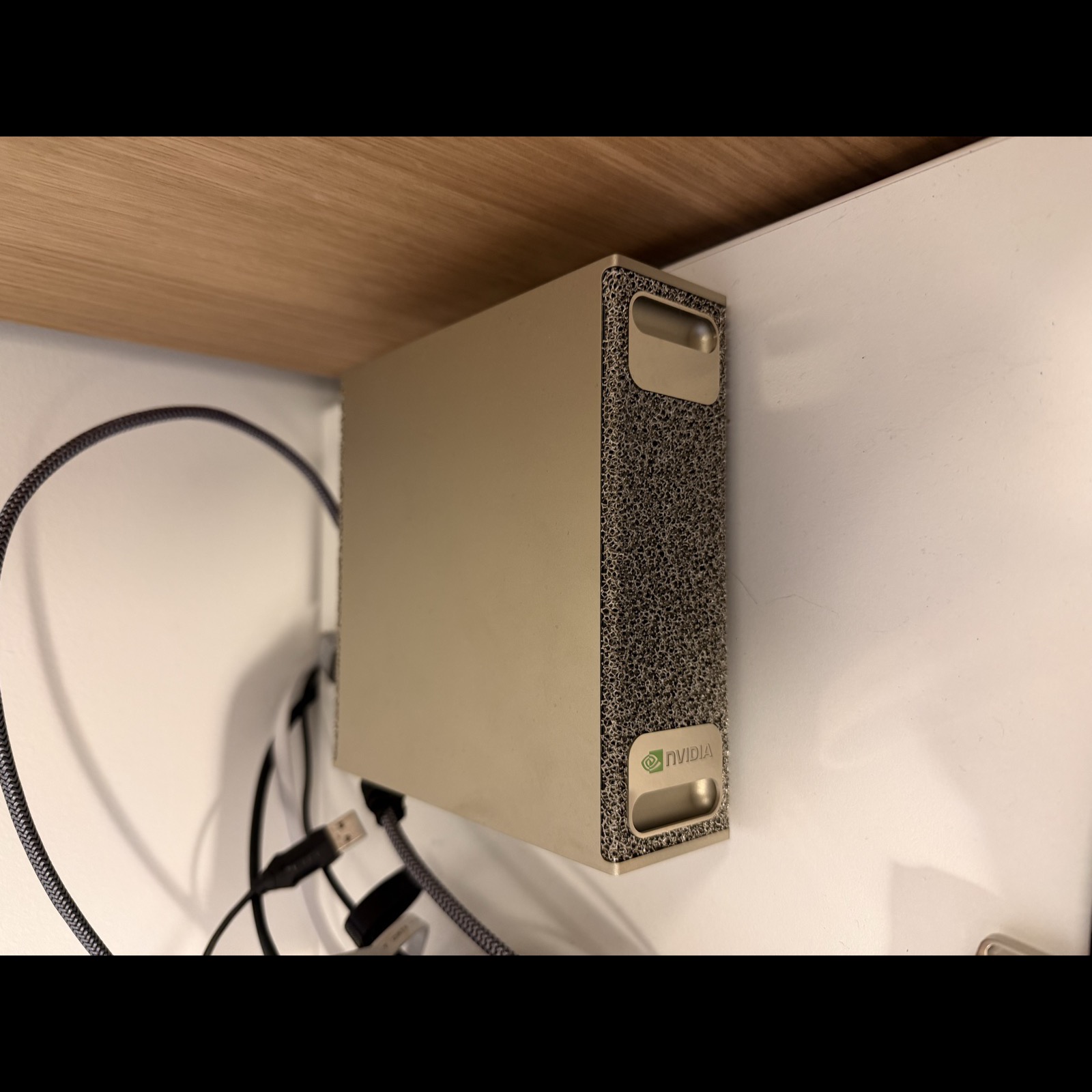
I bought a DGX Spark and it had mostly just been sitting on my desk. I was fucking around with local models, got bored after five minutes, and wanted something a little more real to sink my teeth into. I had this dumb feature idea sitting in the back of my head already, and it felt like the perfect excuse to build a cobbled-together pipeline for an extremely niche problem in my codebase that nobody asked for.
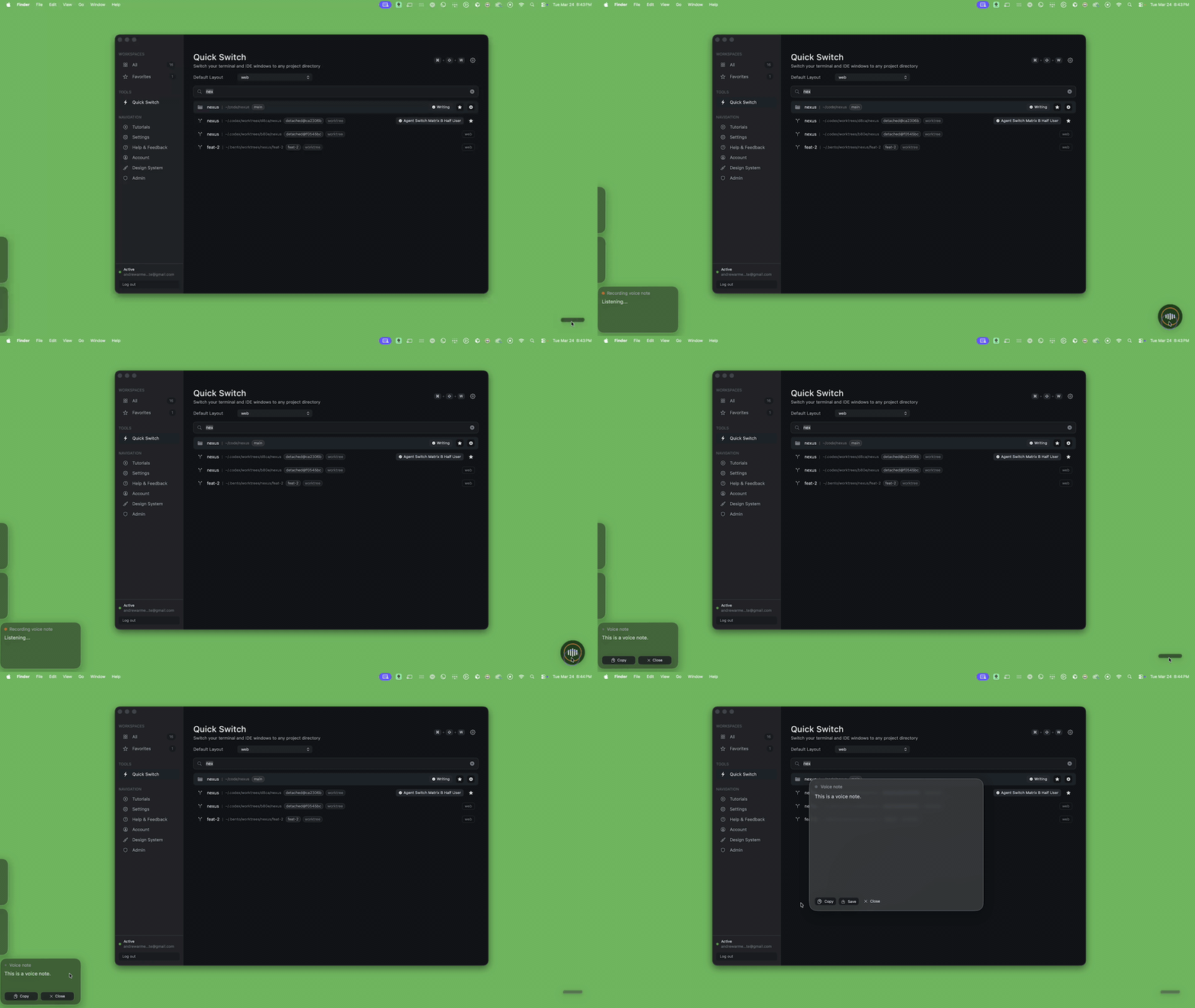
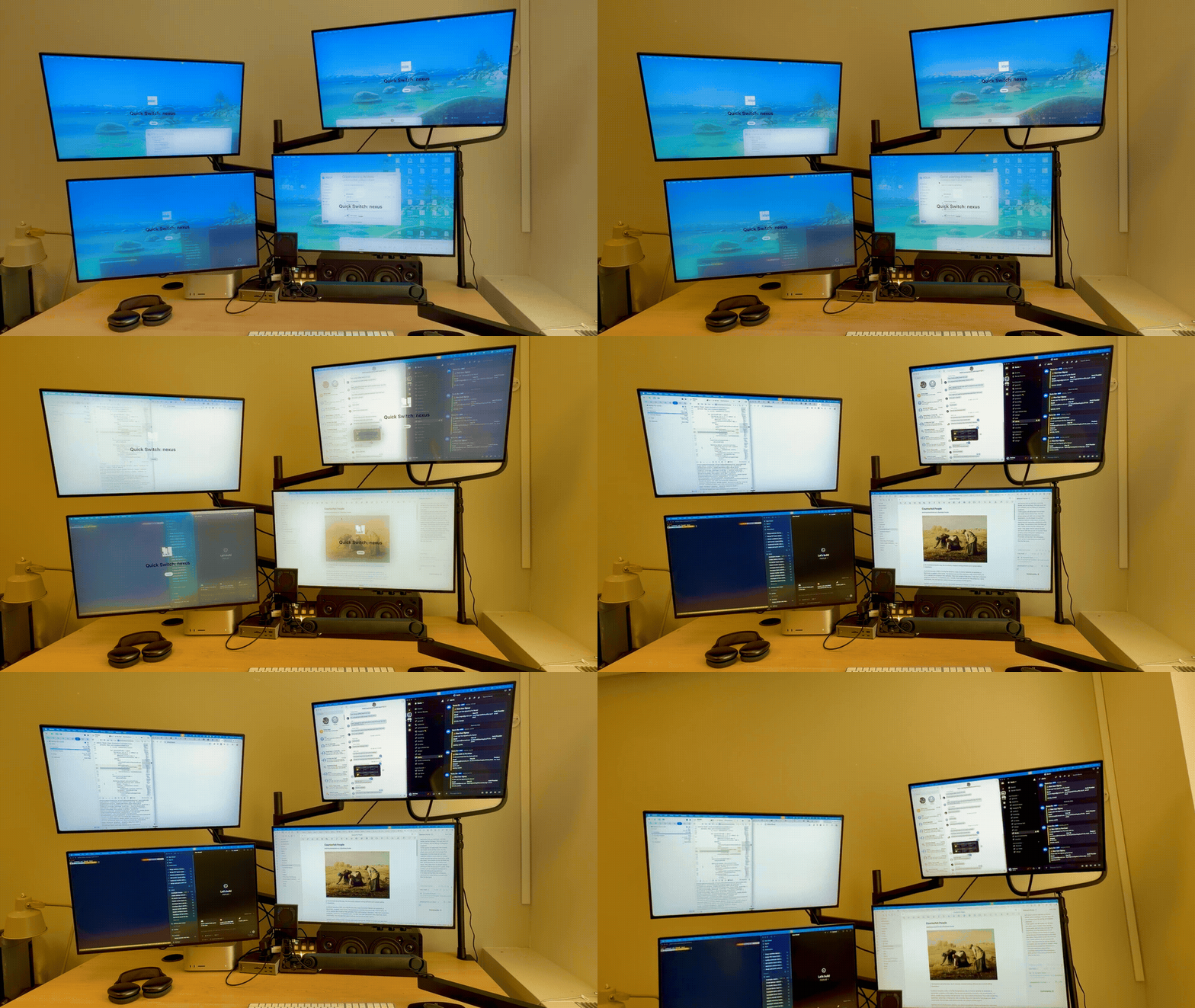
Bento launches workspaces and apps in specific places on the screen. It also lets you save layout configurations and swap things like IDEs, terminals, and browser tabs between different projects. The feature I wanted was simple: press a button, record a voice note, and either save that note or trigger a workspace layout with my voice. Something like “Bento, open up my Xcode layout for the guidebook app” should arrange my monitors the way I like for macOS work and attach the right TMUX sessions for that directory.
I was able to get a prototype going pretty quickly with a local Whisper model doing transcription. But what I really needed was a way to classify that transcription as either a voice note or a Bento command. The binary decision was easy enough. The harder part was normalizing the command into something Bento could actually execute.
I also found out pretty quickly that training was not really the hard part. The harder part was figuring out where inference should live, and how to host it without turning a small product feature into either a giant download or a permanent GPU bill.
Runtime
The production path was simple:
mic input
  -> record short audio clip
  -> transcribe locally with Whisper
  -> build Bento context
       - saved workspace names
       - workspace path hints
       - running apps
       - display layout
       - focused display
  -> classify transcript locally with a fine-tuned Gemma model
       - note vs command
       - action name
       - normalized arguments
  -> plan execution
  -> execute through Bento's existing window/workspace/app actions
I got a quick prototype working with Google’s 3.5 Flash model, and it was honestly pretty decent. That was enough to prove the feature shape. But it also made the limits obvious. I did not just want “roughly right.” I wanted something I could tune around Bento’s actual command surface, weird filler-heavy speech, and the very specific desktop context Bento already knew about.
That is why the Gemma route got interesting.
This was not a general assistant problem. I was not asking the model to be charming, helpful, or open-ended. I needed a narrow parser with a constrained output contract:
- classify the transcript as a note or a command
- if it was a command, return a tool call Bento could already execute
- normalize fuzzy spoken language into a small controlled schema
That is a much nicer problem than “build a voice assistant.” It is still messy, but it is bounded. And bounded problems are exactly where a small fine-tune starts to feel worth it.
The code was pretty straightforward. Pass in the transcription and some context about the user’s desktop environment. Get back a classification and, if it was a command, a tool call. That tool call was just a JSON object with an action name and arguments Bento already knew how to execute.
let transcript = try await whisper.transcribe(fileURL: clipURL, runID: runID)

let context = VoiceCommandContext(
    workspaceNames: workspaceNames,
    workspacePathHints: workspacePathHints,
    runningApps: runningApps,
    appAliasHints: appAliasHints,
    displays: displays,
    focusedDisplayIndex: focusedDisplayIndex,
    focusedDisplayName: focusedDisplayName
)

let classification = try await classifier.classifyTranscription(
    text: transcript.text,
    context: context,
    runID: runID
)

guard let toolCall = classification.toolCall else {
    return .note(transcript.text)
}

let plan = VoiceCommandExecutor.plan(
    toolCall: toolCall,
    context: context,
    focusedDisplayIndex: focusedDisplayIndex
)
The small model part that ended up mattering most was not “can it understand speech?” Whisper already handled that. The useful part was that the classifier could sit behind Whisper and answer a much smaller question: what Bento action, if any, does this transcript map to?
Why Gemma Made Sense
I ended up on unsloth/gemma-3-4b-it, not because I wanted to become a Gemma evangelist, but because the shape of the problem fit it.
The model had to do a weird combination of things:
- ignore filler words and hesitation
- resolve app names from the running app list
- resolve workspace names from saved Bento workspaces
- map vague spoken commands onto a fixed action surface
- produce valid structured output every time
That is not a “be smarter” problem. It is mostly a “be narrower” problem.
A 4B instruction-tuned base with LoRA on top was enough. I did not need a giant frontier model reasoning through the fate of civilization. I needed something that could hear “uh focus the browser please like google chrome” and come back with the right Bento command without wandering off into improvisation.
The narrowness helped twice:
- The dataset could be synthetic and targeted.
- The eval criteria could be brutally literal.
That was the fun part. If the model got the classification wrong, or picked the wrong subcommand, or normalized an argument badly, I knew exactly what kind of data to add next.
Data
The model had a narrow job, so the dataset was narrow too. The useful part was not the size of the dataset. It was the shape of the pipeline that produced it.
I did not start from raw transcripts. I started from canonical Bento commands. First I generated the actual actions Bento already knew how to perform, things like focusing an app, loading a workspace, or switching layouts. Then I attached the kind of desktop context the real app already has at runtime: saved workspace names, running apps, display names, and a few other hints that help disambiguate fuzzy requests.
From there, I used a model to turn those clean command targets into messy spoken inputs. That meant taking something precise and rephrasing it into the way people actually talk: half-finished requests, filler words, vague references, app nicknames, and all the other little bits of slop that show up in voice input. After that, I ran a judge pass over each pair to decide whether the spoken input still matched the intended command cleanly enough to keep.
That environment-aware part mattered more than I expected. A transcript like “switch to personal” is not the same thing if Bento knows the current workspace names and running apps. It might be a workspace, it might be an app, it might be nonsense. Giving the model the same Bento context the app already had turned a lot of those cases from guesswork into boring deterministic parsing.
A single example looked like this:
{
  "input": "uh focus the browser please like google chrome",
  "classification": "cli_command",
  "confidence": "high",
  "command": "bentoctl app activate --app \"Google Chrome\"",
  "reasoning": "User wants to activate Google Chrome despite filler words.",
  "category": "app",
  "environment": {
    "workspaces": "\"Nexus\", \"Backend\", \"Web\", \"Messaging\"",
    "displays": "0: Built-in Display (1728x1117, primary) | 1: External Display (2560x1440)",
    "apps": "Google Chrome, Xcode, Cursor, iTerm, Terminal, Slack, Discord"
  }
}
The generation loop was straightforward:
- Generate canonical Bento commands programmatically.
- Attach plausible environment context.
- Send those cases to OpenRouter and ask for realistic spoken inputs.
- Run a judge pass on the generated pair.
- Accept, rewrite, or reject.
- Deduplicate.
- Split into train and eval additions.
The generator was written in Rust because… why not?
let prompts = batch.iter().map(|candidate| GenerationPromptCase {
    id: candidate.id,
    command: candidate.command.clone(),
    category: candidate.category.clone(),
    environment: candidate.environment.clone(),
}).collect::<Vec<_>>();

let generated = llm_client.generate_batch_inputs(
    &generator_model,
    &prompts,
    max_retries,
).await?;

for (candidate, example) in batch.iter().zip(generated) {
    let outcome = llm_client.judge_example(
        &judge_model,
        &example.input,
        &candidate.command,
        &candidate.category,
        candidate.environment.as_ref(),
        max_retries,
    ).await?;

    match outcome.decision {
        JudgeDecision::Accept => keep(example),
        JudgeDecision::Rewrite => try_rewrite(example, outcome),
        JudgeDecision::Reject => drop(example),
    }
}
This was the command surface for the generator:
cd ~/code/train

nexus-train generate \
  --count 300 \
  --scenario mixed \
  --batch-size 20 \
  --concurrency 4 \
  --generator-model mistralai/mistral-nemo \
  --judge-model mistralai/mistral-small-3.2-24b-instruct \
  --out-train data/proposals/train_additions.proposed.json \
  --out-eval data/proposals/eval_additions.proposed.json \
  --out-report data/proposals/generation_report.json
If you are doing this through OpenRouter and you care about staying inside the model terms, the important part is not just picking a model that seems good at paraphrasing. It is picking one OpenRouter marks as distillable, so you are not quietly generating training data from a model whose terms forbid that use.
That was another thing I liked about this project. The data loop was not mystical. It was just a lot of repetitive, opinionated dataset work. Generate candidates. Judge them. Keep the good ones. Patch the failure cases. Repeat until the model stops embarrassing itself in the same ways.
Fine-Tuning
The core training config looked like this:
MODEL_NAME = "unsloth/gemma-3-4b-it"
MAX_SEQ_LENGTH = 1024

LORA_RANK = 64
LORA_ALPHA = 128
LORA_DROPOUT = 0.05
LORA_TARGET_MODULES = [
    "q_proj", "k_proj", "v_proj", "o_proj",
    "gate_proj", "up_proj", "down_proj",
]

NUM_EPOCHS = 5
LEARNING_RATE = 1e-4
BATCH_SIZE = 4
GRADIENT_ACCUMULATION_STEPS = 4
WARMUP_RATIO = 0.1
WEIGHT_DECAY = 0.01
The useful part of this setup was the structure, not any one magic hyperparameter.
I started with an instruction-tuned Gemma 3 4B base, kept the base weights frozen, and trained LoRA adapters on the attention and feed-forward projection layers. That fit the job really well. This was not a broad assistant that needed to learn a whole new worldview. It was a narrow parser that needed to get better at one annoying, repetitive translation task: take messy spoken input plus Bento context and map it onto a fixed action schema.
That is exactly the kind of problem where LoRA makes sense. Instead of retraining the whole model, you train a much smaller set of low-rank adapter weights on top of the existing model behavior. In practice, that meant I could keep the training loop cheap enough to iterate on, while still giving the model enough room to learn Bento-specific command patterns and argument normalization.
The config mostly reflects those constraints. The LoRA rank controls how much flexibility the adapters have. The sequence length, batch size, and gradient accumulation settings were mostly about fitting the hardware cleanly and keeping runs stable. The goal was not to produce the perfect canonical training recipe. The goal was to make it easy to test whether a data change actually improved the model.
That is also why the runtime of the loop mattered so much more than the parameter counts. A full train, eval, and export cycle taking about 20 to 30 minutes was the sweet spot. It was long enough to feel real, but short enough that I could still treat it like product iteration instead of a science project:
- add examples for a weird failure
- kick off a run
- let it cook for a while
- evaluate it
- decide whether the model actually got better
The logs were still useful because they gave me a quick read on whether the run shape looked sane:
Loaded unsloth/gemma-3-4b-it via Unsloth (bfloat16)
Train dataset: 1323 examples (925 with environment)
Eval dataset: 119 examples (86 with environment)
Batch size per device = 4 | Gradient accumulation steps = 4
Total batch size = 16
That was the point where the project started to feel less like a toy experiment and more like a usable tiny-model workflow.
Training Environment
The two-machine split turned out to be one of the better decisions in this project.
Mac
  - Bento app development
  - dataset curation
  - local Ollama testing

DGX Spark
  - model training
  - evaluation
  - GGUF export
  - llama.cpp fallback tooling
Getting onto the DGX was a single SSH alias away. That sounds trivial, but when you’re bouncing between machines dozens of times a day, even small friction adds up. Keeping that path short meant I actually used the Spark for quick experiments instead of putting them off.
What the Remote Loop Actually Looked Like
The surprisingly nice part was the Rust orchestration layer.
nexus-train was not just a wrapper around “ssh and pray.” It had a real pipeline:
- validate the local data
- snapshot dataset stats
- sync
train.jsonandeval.json - start remote training
- optionally detach into tmux
- optionally run remote eval
- pull GGUF back
- create the local Ollama model
The detached path is where it really started to feel usable.
From the Mac, the shape was:
cd ~/code/train

nexus-train train \
  --version <run-name> \
  --detach \
  --skip-ollama
The detached runner on the DGX writes both a shell script and a log file under:
output/logs/nexus_train_*.sh
output/logs/nexus_train_*.log
The generated detached script looked like this at the top:
#!/usr/bin/env bash
set -uo pipefail
LOG="$HOME/code/train/output/logs/nexus_train_<run-name>.log"
if [ -f ~/.venv/bin/activate ]; then source ~/.venv/bin/activate; fi
cd "$HOME/code/train"
python3 run_training.py --output-dir output/lora_adapters_<run-name> --gguf-dir output/gguf_<run-name>
python3 run_eval.py --lora-dir output/lora_adapters_<run-name> --output output/eval_results_<run-name>.json
That matters because it changed the feel of the whole project. I did not have to sit there babysitting a terminal window. I could launch a run, detach it, check back later, and only reattach when I actually cared about the output.
The CLI even prints the next steps for you:
ssh user@host 'tmux attach -t nexus_train_<version>'
ssh user@host 'tail -f <log_path>'
That is not glamorous, but it is exactly the kind of boring tooling that makes iteration stay fun.
The GGUF Part Was Messier
This is where the “small model” story gets less clean.
The pipeline wanted to end with a straightforward Unsloth GGUF export. Sometimes it did. Sometimes it did not.
One of the more useful ugly details in the training docs was the python vs python3 warning. On the DGX Spark, those did not always mean the same interpreter, and the conversion path could break in exactly the kind of annoying way that only shows up when some subprocess shells out with the wrong environment.
The docs literally call this out:
IMPORTANT: python vs python3 gotcha.
On the DGX Spark, python may point to a different interpreter than python3.
If you get import errors with python, try python3.
The detached training flow even had a manual fallback if the automatic GGUF export failed:
- detect that training finished but GGUF export did not
- call
llama.cpp/convert_hf_to_gguf.py - quantize with
llama-quantize - keep going if the fallback succeeded
Shipping
The local runtime artifacts in the app were:
- Whisper Base English:
148 MB - Bento Voice
v10.2aGGUF:2.49 GB
That is already enough to make the feature feel different from a normal app feature. Asking users to download about 2.64 GB of model artifacts for a niche command parser is weird on its own. Then you get into hardware. Even if the model is small by local LLM standards, you still need a machine that can run it well enough for voice commands to feel instant instead of annoying.
So I looked at hosting it instead.

That was not especially encouraging either. As of March 24, 2026, DigitalOcean lists an L40S at $1.57/hour, which works out to about $1,130/month if it stays up all month. Other providers will quote per-second pricing that sounds a little less insane at first glance, but the economics still get weird fast for a small app with a niche feature and a small user base.
That is where I stopped. The model worked. The training workflow was honestly better than I expected. I had a real little loop: edit data on the Mac, Connect spark, launch a detached run, watch logs, pull a GGUF back, test it through Ollama, repeat.
I just did not want to ship a multi-gigabyte local runtime to every user, and I also did not want to turn a small product feature into a standing GPU bill.
What I Learned
For this kind of problem, the useful part was not building a small, niche model. It was realizing how good a small, niche model can be when the task is narrow and the output schema is controlled.
That part actually felt pretty solved.
Whisper handled the messy speech-to-text part. Gemma handled the classification and normalization part. The data loop was annoying but tractable. The DGX workflow was a lot less painful once I wrapped it in a real remote CLI and tmux-based runs.
What still feels broken is the part after that.
What I want, and what I do not think really exists yet in a good enough form, is a cheaper way to host small niche models for small apps. There are a lot of features like this where the model is useful, the scope is narrow, and the user base is not big enough to justify either a giant local download or a permanent GPU bill.
That is the part that still feels unresolved.